
Download Squibler – AI‑Powered Storytelling Made Easy
Overview
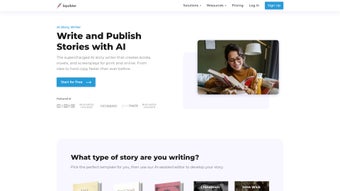
Squibler is a cloud‑based, AI‑driven writing assistant built specifically for storytellers, novelists, screenwriters, and anyone who wants to turn ideas into compelling narratives. Unlike generic word processors, Squibler combines a powerful set of creative tools with machine‑learning algorithms that suggest plot twists, develop characters, and even generate supporting images and short videos. The platform is designed to be both a brainstorming sandbox and a project‑management hub, letting writers track milestones, set daily word goals, and collaborate with beta readers or editors in real time.
Its sleek, distraction‑free interface supports dark mode, split‑screen views, and a library of customizable templates that span romance, sci‑fi, thriller, and non‑fiction genres. Because Squibler lives in the browser, it works on any device—Windows PCs, macOS laptops, Linux desktops, Android tablets, and iOS phones—so you can write wherever inspiration strikes. Security is a top priority; all data is encrypted in transit and at rest, and the service offers regular automatic updates to keep the AI models and feature set current.
Whether you are a seasoned author looking for a fresh productivity boost or a beginner seeking guided storytelling, Squibler promises a secure, flexible, and inspiring environment to bring your stories to life.
Core Features That Set Squibler Apart
- AI‑Assisted Idea Generation: Instantly generate plot outlines, hook sentences, and genre‑specific premises with a single click.
- Character Development Toolkit: Build deep, multi‑dimensional characters using AI prompts that suggest backstories, motivations, and arcs.
- World‑Building & Setting Designer: Create vivid environments with descriptive prompts and visual references generated on the fly.
- Goal Tracking & Milestone Management: Set daily word counts, track chapter progress, and visualize project timelines in an intuitive dashboard.
- Collaborative Review System: Share drafts with beta readers, editors, or co‑authors, collect inline comments, and merge feedback securely.
- AI Image & Video Generation: Produce royalty‑free illustrations, mood boards, and short video clips that match your narrative tone.
- Customizable Templates: Choose from over 50 pre‑built templates for novels, screenplays, short stories, and pitch decks.
- Dark Mode & Split‑Screen View: Reduce eye strain and work on research or outlines side‑by‑side with your manuscript.
- Export Options: Download your work as PDF, DOCX, RTF, or plain text, and sync with cloud services like Google Drive and Dropbox.
- Secure Cloud Storage: All manuscripts are encrypted, auto‑saved, and version‑controlled, ensuring you never lose a draft.
These features are not just a checklist; they are tightly integrated to streamline the entire storytelling workflow. The AI engine learns from the writer’s style over time, offering more personalized suggestions after each session. The collaborative suite eliminates the need for external email chains, while the visual generation tools let authors quickly prototype book covers or storyboard scenes without leaving the app. For writers who juggle multiple projects, the goal‑tracking dashboard acts like a personal writing coach, nudging you toward daily targets and celebrating milestones with subtle animations. All of this is delivered through a responsive web app that updates automatically, meaning you always have the latest tools without manually installing patches or upgrades.
Getting Started: Installation, Setup, and Compatibility
Because Squibler is a web‑based application, there is no traditional “download and install” process for desktop users. To begin, simply visit Squibler’s official website, click the “Sign Up Free” button, and create an account using an email address or single‑sign‑on via Google or Apple. The registration process takes less than a minute, after which you are directed to a personalized dashboard where you can create a new project or import an existing manuscript.
For mobile users on iOS or Android, Squibler offers native companion apps that can be downloaded from the Apple App Store or Google Play Store. These apps provide offline editing capabilities; any changes made offline sync automatically when an internet connection is re‑established. The apps are lightweight (under 50 MB) and require iOS 13+ or Android 8.0+.
System Requirements & Compatibility – Squibler runs flawlessly on all modern browsers, including Chrome, Firefox, Safari, and Edge. It is optimized for Windows 10/11, macOS Catalina and later, and Linux distributions with recent GNOME or KDE desktops. Because the core engine lives in the cloud, performance depends primarily on a stable internet connection (minimum 3 Mbps recommended). The platform also supports integration with popular writing tools such as Scrivener, Google Docs, and Microsoft Word via import/export functions.
After logging in, the first‑time setup wizard walks you through choosing a genre, selecting a template, and optionally enabling AI assistance. You can toggle AI suggestions on or off for each writing session, allowing complete creative control when desired. The wizard also helps you set daily writing goals and invites collaborators by sending secure, expiring links. Once your project is created, you can instantly start typing, drag‑and‑drop AI‑generated images, and use the built‑in outline view to rearrange chapters with a simple drag.
For teams, Squibler provides role‑based permissions (Owner, Editor, Viewer) that can be managed from the project settings panel. All data transfers are secured with TLS 1.3 encryption, and two‑factor authentication (2FA) is available for accounts that require an extra layer of protection. If you ever need to export your work, the “Download” button in the top‑right corner presents a list of formats, and the system will generate a clean, print‑ready PDF or a fully editable DOCX file within seconds.
Pros, Cons, and Frequently Asked Questions
Pros
- AI‑driven suggestions speed up idea generation and reduce writer’s block.
- Full‑stack web app works on Windows, macOS, Linux, iOS, and Android without additional installations.
- Robust collaboration tools eliminate the need for separate feedback platforms.
- Secure cloud storage with automatic version control protects your manuscripts.
- Customizable templates and visual generation keep creative momentum high.
Cons
- Requires an internet connection for real‑time AI features; offline mode is limited to the mobile apps.
- Subscription pricing may be a barrier for hobby writers on a tight budget.
- AI suggestions sometimes need manual refinement to match a unique authorial voice.
- Learning curve for new users unfamiliar with AI‑assisted writing workflows.
Frequently Asked Questions
Is Squibler free to use?
Squibler offers a 14‑day free trial with full access to all features. After the trial, a paid subscription is required to continue using the AI tools, cloud storage, and collaboration suite.
Can I export my manuscript to Microsoft Word?
Yes. Squibler provides one‑click export to DOCX, PDF, RTF, and plain text. The exported files retain formatting, headings, and any embedded images generated by the AI.
How does the AI generate images and videos?
Squibler integrates with a proprietary generative model that creates royalty‑free visuals based on textual prompts. The same technology can produce short, looping video clips that match the mood of a scene, which can be embedded directly into the manuscript.
Is my data safe on Squibler?
All data is encrypted in transit (TLS 1.3) and at rest (AES‑256). Squibler also offers two‑factor authentication and regular security audits to protect user privacy.
Can I collaborate with editors who don’t have a Squibler account?
Yes. You can generate a secure, time‑limited share link that grants view‑only or comment‑only access to external collaborators, allowing them to provide feedback without creating an account.
Conclusion & Call to Action
Squibler stands out in the crowded market of writing software by marrying AI creativity with a full‑featured project management suite. Its ability to generate story ideas, flesh out characters, and even produce visual assets makes it a one‑stop shop for modern storytellers. While the reliance on an internet connection and a subscription model might deter some, the value delivered—especially for authors juggling multiple drafts or collaborating across borders—far outweighs those concerns. If you’re ready to accelerate your writing process, eliminate the frustration of writer’s block, and keep your manuscripts secure and organized, Squibler is the tool to try.
Take the next step: Click the button below to start your free 14‑day trial, explore the AI‑powered features, and see how Squibler can transform your storytelling workflow.



.png)



